Use Case: Create project metadata
ID: UC-012
1. Description
Goal: Enter or upload project metadata into the system.
Primary Actor: Data Provider
Trigger: Data Provider logs in to the system and selects "Create New Project"
Pre-conditions:
- Data provider has recovered PAM deployments (moorings, gliders, ship-mounted, etc.), downloaded data from the recorders and performed data backup.
- Data Provider has consulted Makara Data Submission Guide and has all mandatory metadata (DEFINE THIS) available at their workstation.
Priority: 1 ([1, 2, 3, 4] High -> Low)
2. Basic Flow (Happy Path)
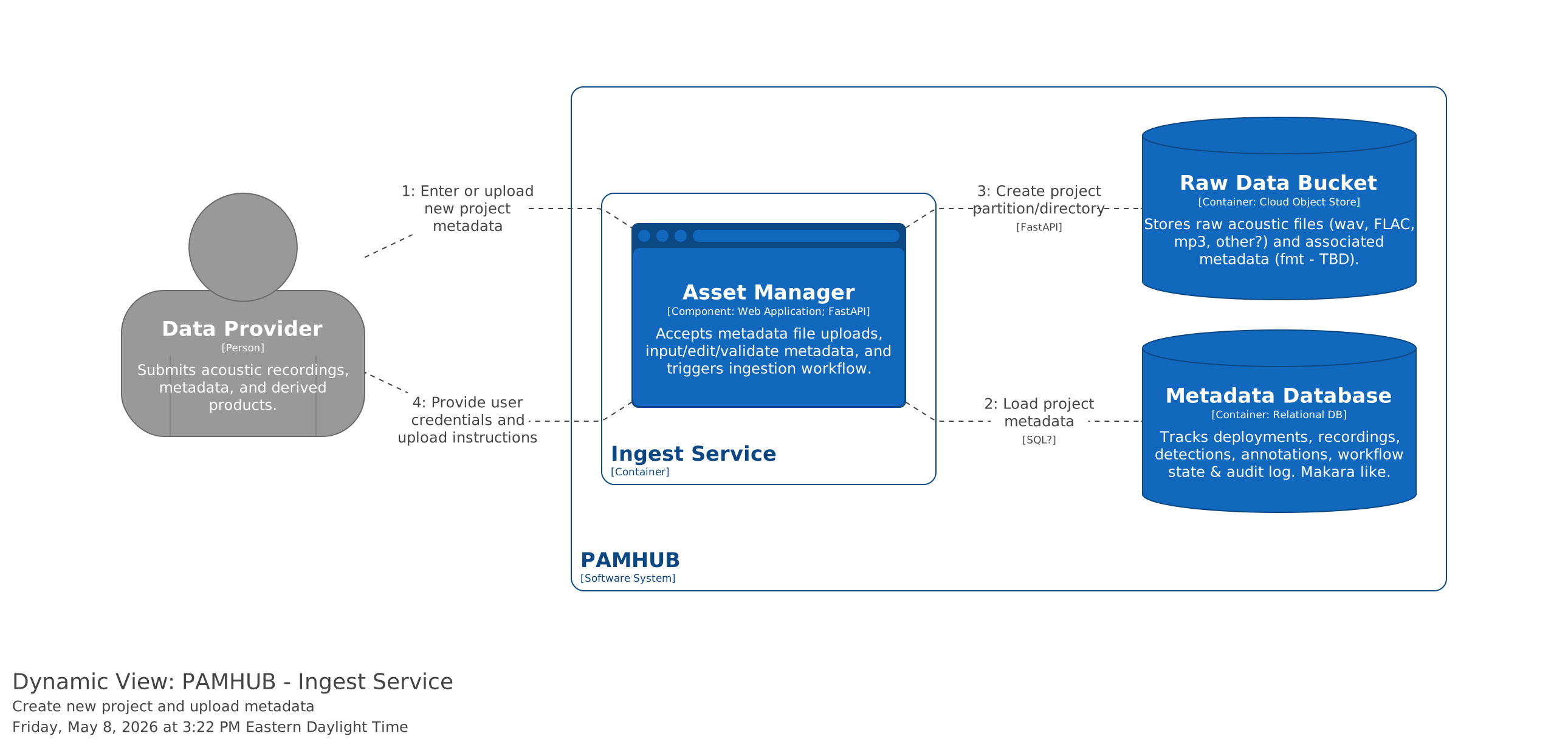
- Data Provider selects Create New Project.
- System provides metadata entry form.
- Actor types in mandatory project level metadata into the form.
- System validates metadata.
- Actor selects "Submit new project metadata".
- System updates metadata database with the information provided.
- System creates new partition in the
raw-data-uploadbucket for the raw audio files from the newly created project.
Question
What about uploading pregenerated metadata as validated CSV or JSON files? Decide on this feature.
3. Alternative / Exception Flows
3.1 [Condition A] (e.g., Invalid Login)
- System displays error message.
- Use case returns to Step 1 of Basic Flow.
3.2 [Condition B] (e.g., Out of Stock)
- System suggests alternative products.
- Use case terminates.
4. Special Requirements
[e.g., Response time must be under 2 seconds] [e.g., Mobile responsive layout required]